User Interface#
Study and Status Selection#
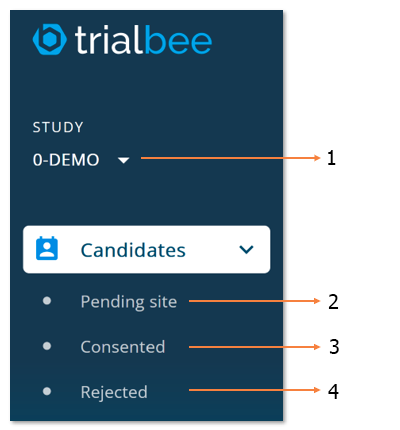
- Studies you have access to
- Referrals that have not been consented, randomized, or rejected
- Referrals that have been consented or randomized
- Referrals that have been rejected
Referral Selection#
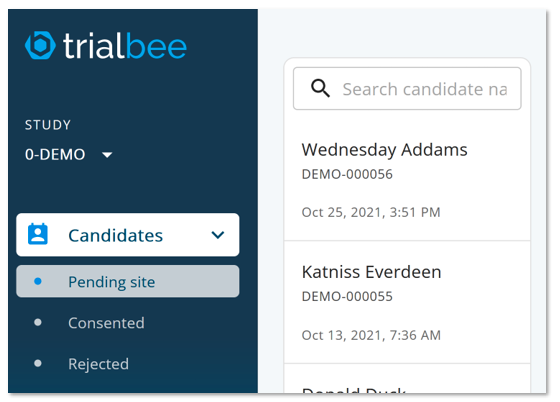
Select a candidate from the list, search by name or ID number
Phone Calls, Video Calls, Status Updates#
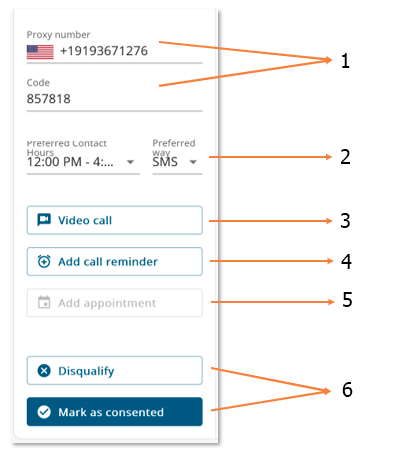
- Use this number & the code to call the candidate
- Candidate contact preferences
- Click to send a link to the candidate for a video call
- Add a reminder for yourself to contact the candidate
- Add an appointment for the candidate - an alert will be sent out to the candidate in advance of the date/time
- Update the status
Screening Data#
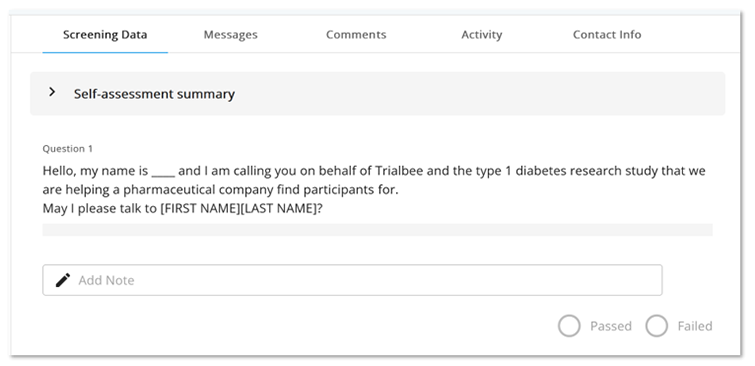
Click “self-assessment summary” to see the referral’s web assessment responses
View the questions and notes from Trialbee’s nurse screening
Messages#
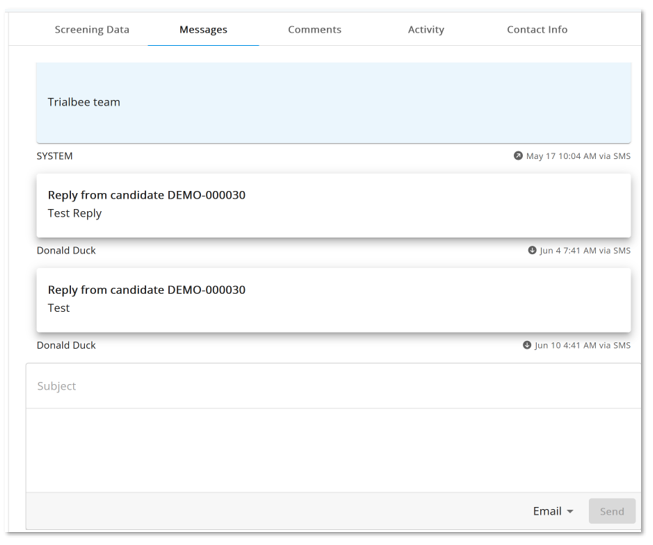
Review prior email & SMS messages
Select email or SMS, enter content & click “send” to send the candidate new messages
You will receive an alert when a referral replies to your message
Comments#
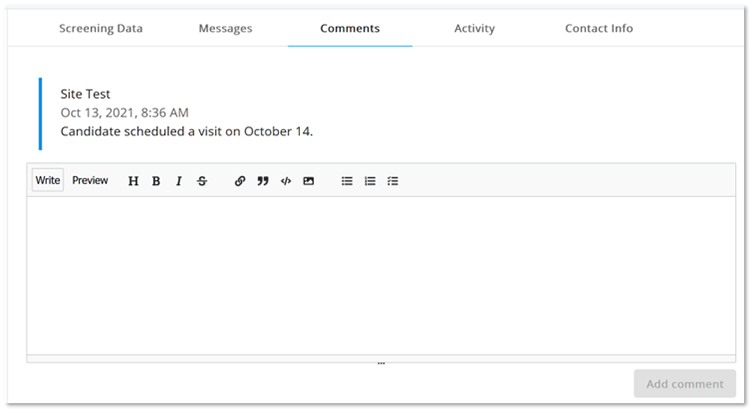
The comments are for internal use to keep track of candidates. Candidates do not see these comments, but administrators as well as other users at your site can see them.
Examples of comments include details about candidate contact attempts or status
Activity and Contact Info#
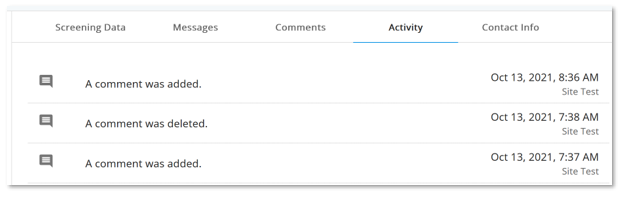
Review actions per candidate by selecting “activity”
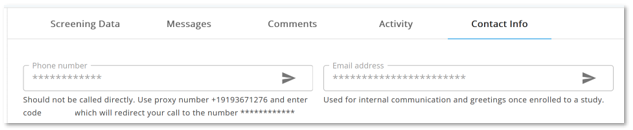
Use “contact info” as another location to find the proxy number and code
Additional Support#
We are here to help. In case of any problem or suggestion, please do not hesitate to contact us by clicking the Help button at the bottom-right side of this page.
You can alternatively email us at support@trialbee.com
We look forward to working with you!